Evaluating Graphite Pencil Procreate Brushes for Digital Sketching
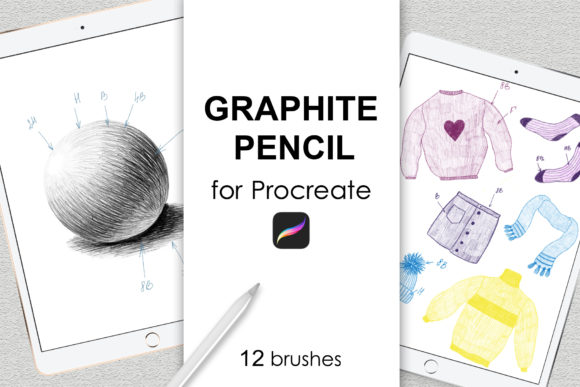
The transition from traditional media to digital art often hinges on finding tools that replicate the tactile feel of physical materials. For many illustrators and academic artists, the Graphite Pencil Procreate Brushes collection represents a specific solution designed to bridge this gap. This set, typically comprising 12 distinct graphite pencil brushes, is engineered to mimic the texture, grain, and pressure sensitivity of real-world drawing implements within the Procreate ecosystem. Understanding the capabilities and limitations of such a toolset is essential for artists deciding whether to integrate it into their workflow.
Understanding the Toolset
At its core, this brush set is a digital emulation of traditional graphite. Unlike generic round brushes that offer smooth, uniform strokes, these 12 brushes are calibrated to introduce variability. They simulate the way real graphite catches on paper tooth, creating textures that range from fine, sharp lines suitable for technical drafting to broader, softer strokes ideal for shading and tonal work. The primary function of these brushes is to facilitate quick sketching, academic drawing studies, and detailed pencil illustrations without the mess or material costs associated with physical media.
It is important to note the specific technical environment required for these tools. These brushes are formatted exclusively as a .brushset file, meaning they are native to the Procreate application on iPad. They require an iPad Pro or standard iPad paired with an Apple Pencil or a stylus that supports pressure sensitivity. Furthermore, compatibility is generally limited to Procreate Version 5.0 and higher. Artists working in Photoshop, Clip Studio Paint, or on desktop computers will find these files unusable, as the proprietary format does not translate to other software architectures.
Reasons for Adoption
Artists often seek out specialized brush sets like this to overcome the "plastic" feel that can sometimes plague digital artwork. When using default brushes, lines can appear too perfect or sterile. The Graphite Pencil Procreate Brushes address this by incorporating noise and texture algorithms that react to stroke speed and pressure. This allows for a more organic output, which is particularly valuable for concept artists who need to iterate quickly while maintaining a hand-drawn aesthetic.
Another significant driver for adoption is efficiency. In an academic or professional setting, the ability to switch between different pencil grades (e.g., simulating 2H for light construction lines and 6B for deep shadows) without physically changing tools streamlines the creative process. Having 12 variations in a single set means an artist can handle outlining, hatching, cross-hatching, and blending within one interface, reducing the friction between thought and execution.
Benefits and Practical Advantages
The most immediate benefit of utilizing this specific brush set is the preservation of workflow continuity for traditional artists moving to digital. The learning curve is significantly reduced because the behavior of the digital stylus mimics the resistance and flow of a real pencil on paper. This familiarity allows artists to focus on composition and form rather than fighting against the software.
Additionally, the non-destructive nature of digital art enhances the utility of these brushes. While they emulate graphite, they still operate within layers. An artist can sketch a complex academic study, erase mistakes cleanly without smudging surrounding areas, and adjust the opacity of entire sections instantly. This combination of traditional texture and digital flexibility makes the set powerful for iterative design and preliminary sketching.
Tradeoffs and Considerations
Despite their advantages, there are tradeoffs to consider. The reliance on specific hardware is a primary constraint. Without an Apple Pencil or a high-quality pressure-sensitive stylus, the nuanced performance of these 12 brushes cannot be fully realized. Pressure variation is critical for graphite emulation; without it, the strokes may appear flat and fail to convey the intended depth or texture.
Furthermore, while these brushes excel at simulation, they are still bound by the resolution and rendering engine of the iPad. Extremely large-scale prints may reveal digital artifacts that would not exist in a physical charcoal or graphite drawing. Artists intending to produce large-format fine art prints should test the brushes at 100% zoom to ensure the texture holds up under scrutiny.
There is also the consideration of software lock-in. Since these brushes work only in Procreate, an artist who decides to switch to a desktop-based workflow later cannot take these specific customizations with them. They would need to recreate similar effects or purchase new assets compatible with their new software, representing a potential loss of invested time in mastering this specific toolset.
Ideal Use Cases
This brush set is a strong fit for several specific scenarios. It is particularly well-suited for academic drawing, where the focus is on form, light, and shadow rather than color. Students and instructors using iPads for life drawing classes will find the 12-pencil variety sufficient for capturing gesture, contour, and value studies.
Illustrators working on storyboards or comic book layouts also benefit greatly. The ability to quickly generate rough sketches that look polished enough for client presentation saves considerable time. Additionally, artists who specialize in monochromatic or sepia-toned illustrations will find the texture provided by these brushes adds necessary visual interest to otherwise flat compositions.
When to Consider Alternatives
While effective, this toolset is not universal. If an artist's primary goal is vibrant, painterly digital painting with heavy blending and color mixing, a dedicated oil or watercolor brush set might be more appropriate. Graphite brushes are inherently linear and textured; they are not optimized for smooth gradients or wet-on-wet effects.
Moreover, if an artist works across multiple platforms—switching between an iPad during the day and a Windows workstation at night—investing heavily in Procreate-exclusive assets may be inefficient. In such cases, seeking cross-platform brush libraries or mastering the creation of custom brushes in software like Photoshop might offer better long-term flexibility.
Making the Decision
Deciding whether to incorporate Graphite Pencil Procreate Brushes into your library depends largely on your current hardware and artistic objectives. If you own an iPad with pressure-sensitive input and your work involves significant amounts of sketching, line art, or tonal study, this set offers a high-value shortcut to achieving a traditional aesthetic. The inclusion of 12 distinct variations provides enough range to handle most drawing tasks without needing constant customization.
However, if you lack the necessary hardware or require a workflow that extends beyond the Apple ecosystem, the utility of this specific .brushset diminishes. Ultimately, these brushes serve as a specialized instrument rather than a comprehensive solution. They excel at what they do—emulating the grit and grace of graphite—but they function best when viewed as part of a broader toolkit tailored to the unique constraints and opportunities of digital illustration.