Unlocking Artistic Depth with Procreate Lettering Texture Brushes
In the evolving landscape of digital art, the quest for authenticity often leads creators away from the sterile perfection of vector lines and toward the organic imperfections of traditional media. For iPad artists, the Procreate Lettering Texture Brushes have emerged as a pivotal tool in bridging this gap. These digital assets are not merely overlays; they are dynamic instruments designed to infuse hand-lettered works with the grit, grain, and soul of physical materials like chalk, charcoal, dry ink, and rough paper. Whether you are a seasoned graphic designer or a hobbyist picking up a stylus for the first time, understanding how to leverage these textures can transform flat typography into compelling visual storytelling.
The Essence of Digital Texture
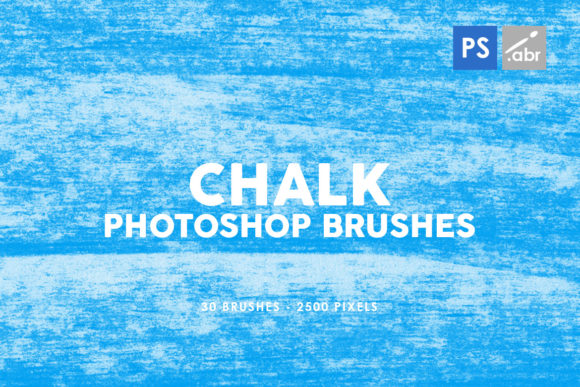
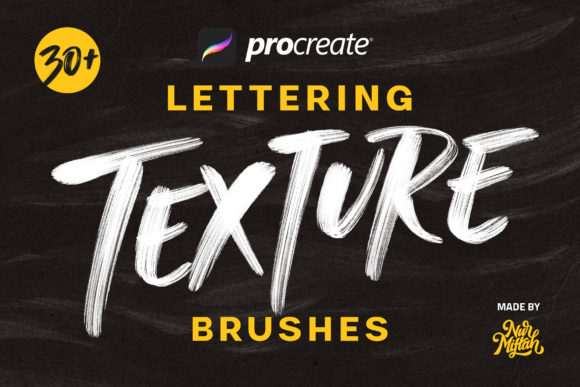
At their core, Procreate Lettering Texture Brushes simulate the interaction between a physical tool and a textured surface. In the real world, when you drag a piece of chalk across a sidewalk or a nib across rough watercolor paper, the medium catches on the high points of the surface, leaving gaps and variations in opacity. Replicating this digitally requires more than just a noisy image; it requires a brush engine that responds to pressure, tilt, and speed. The included set of 30 Unique Texture Brushes offers a diverse palette of these interactions, allowing artists to break up solid colors and introduce a tactile quality that resonates with viewers on a subconscious level.
The value of these brushes lies in their versatility. They are not restricted to a single style. A wedding invitation designer might use a soft, grainy brush to mimic letterpress printing, adding a sense of luxury and tradition. Conversely, a streetwear brand logo creator might opt for a distressed, gritty texture to convey edge and urban energy. The ability to switch between these moods instantly, without changing physical tools or cleaning up messes, is where the true power of the iOS ecosystem shines.
Compatibility and Technical Considerations
Before diving into creative applications, it is crucial to address the technical environment required for these tools. The PROCREATE LETTERING TEXTURE BRUSHES are engineered specifically for the Procreate application on iOS devices. This specificity ensures optimal performance, taking full advantage of Apple Pencil features like pressure sensitivity and tilt recognition.
It is important to note a significant limitation: these brushes do not work in Photoshop or other desktop-based applications. The file format (.brush) is proprietary to Procreate. Attempting to import them into Adobe Creative Cloud or Affinity Designer will result in errors. This exclusivity is a trade-off for the seamless integration they offer within the iPad workflow. However, for those deeply embedded in the Apple ecosystem, this is rarely an issue. Furthermore, these brushes are backward compatible; they function flawlessly on Procreate 5 and earlier versions, ensuring that users with older iPads or those who have not updated their software can still access these creative resources.
Practical Applications Across Industries
The utility of texture brushes extends far beyond simple sketching. Their application spans various professional and personal projects, proving that they are essential tools rather than novelty items.
- Stationery and Invitations: Custom stationery demands a personal touch. By using texture brushes, creators can design digital invitations that feel handwritten and intimate, perfect for weddings, birthdays, or corporate events.
- Logo Design: In a market saturated with clean, geometric logos, a textured wordmark stands out. These brushes allow branding experts to craft identities that feel established and human.
- Font Creation: Aspiring type designers can use these textures to create the base glyphs for new fonts. The irregularity provided by the brushes ensures that the resulting font family has character and avoids the "computer-generated" look.
- Social Media Graphics: Content creators need to stop the scroll. Textures add depth to Instagram stories and Pinterest pins, making typography pop against busy backgrounds.
Who Benefits Most?
The beauty of this specific brush set is its accessibility. It is designed to be easy to use, catering to both beginners and professionals. For the novice, the learning curve is minimal; selecting a brush and writing often yields immediate, satisfying results that mimic years of traditional practice. There is no need to master complex layer blending modes or noise filters manually.
For the professional, the value lies in efficiency and consistency. A professional letterer can maintain a cohesive textural theme across a large project, such as a book cover series or a marketing campaign, simply by sticking to a specific subset of the 30 included brushes. The predictability of the stroke behavior allows for rapid iteration during the client review process.
Evaluating Suitability for Your Projects
While texture brushes are powerful, they are not a one-size-fits-all solution. When evaluating whether to incorporate Procreate Lettering Texture Brushes into a workflow, consider the end medium. If the final output is a large-format print, such as a billboard or a high-gloss magazine spread, excessive texture can sometimes appear muddy or pixelated if the resolution settings in Procreate are not maximized. In these scenarios, it is advisable to test the brushes at 100% scale before committing to a full design.
Conversely, for screen-based media—websites, apps, and social feeds—texture adds a welcomed dimension that combats the flatness of LCD and OLED displays. The slight variation in opacity mimics the way light interacts with physical objects, creating a more engaging user experience.
- Assess the Brand Voice: Does the project require a polished, corporate look, or a rustic, artisanal feel? Texture brushes lean heavily toward the latter.
- Check Legibility: Heavy distressing can reduce readability, especially at small sizes. Always ensure the text remains clear and accessible.
- Layer Management: To maintain flexibility, use texture brushes on separate layers. This allows you to adjust opacity or apply masks later without destroying the original letterforms.
Real-World Scenarios
Imagine a local coffee shop looking to rebrand. They want to convey warmth and the handmade nature of their roast. A designer could use a Procreate Lettering Texture Brush that simulates dry charcoal to sketch the logo. The resulting grain suggests the roughness of coffee beans and the earthiness of the product, creating an emotional connection before the customer even tastes the coffee.
In another scenario, a teacher creating remote learning materials might use these brushes to write headings and notes. The handwritten texture makes the digital worksheets feel less impersonal and more like a note from a real person, fostering a better connection with students who are staring at screens all day.
Making the Most of the 30 Unique Brushes
The inclusion of 30 Unique Texture Brushes provides a robust toolkit, but mastery comes from experimentation. Do not limit yourself to using them strictly for lettering. Try using them to fill shapes, create background patterns, or add wear-and-tear effects to illustrations. Many users find that combining two different texture brushes on multiply blend modes creates entirely new, custom looks that are unique to their style.
Remember, the goal is not to hide the digital nature of the work entirely, but to enhance the expressive potential of the medium. The Procreate Lettering Texture Brushes serve as a bridge, allowing the precision of digital editing to coexist with the soul of analog art. Whether you are drafting a quick note, designing a complex font, or branding a business, these tools offer the tactile richness needed to make your work stand out in a crowded digital world.
Ultimately, the decision to integrate these brushes into your arsenal should be driven by a desire for authenticity. In an age where AI can generate perfect vectors in seconds, the imperfect, textured stroke of a human hand—simulated through these powerful iOS tools—remains a hallmark of genuine creativity. By understanding their limitations regarding software compatibility and embracing their strengths in stylistic versatility, creators can unlock a new dimension of artistic expression directly on their iPads.