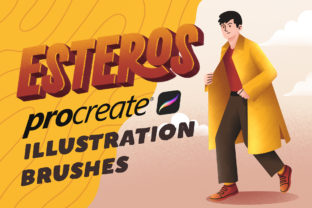
Esteros Procreate Brushes for UI & App Design
Digital illustration on the iPad has evolved from a novelty into a professional standard, yet finding the right tools to bridge the gap between rough concepts and polished user interface (UI) assets remains a challenge for many. Esteros Procreate Illustration Brushes offer a specialized solution designed specifically for this workflow. Unlike general-purpose art sets that focus on oil painting or watercolor simulation, this collection is engineered for the clean lines, flat textures, and scalable graphics required in modern web design, app interfaces, and digital marketing materials.
It is crucial to understand the ecosystem before diving in. These brushes are built exclusively for the Procreate application on iOS. They do not function in Adobe Photoshop, Clip Studio Paint, or any desktop-based software. This limitation is intentional; the brush engine in Procreate handles texture and pressure sensitivity differently than desktop counterparts. By focusing solely on this platform, the creators of ESTEROS Procreate Illustration Brushes have optimized every stroke to feel responsive and natural on an Apple Pencil, ensuring that the tactile experience of drawing matches the visual output needed for high-fidelity mockups.
Why Specific Tools Matter for Different Creators
The value of a specialized brush set changes depending on who is holding the stylus. For a seasoned graphic designer, the priority might be speed and consistency. For a hobbyist exploring UI design for the first time, the focus is often on overcoming the intimidation of a blank canvas. Esteros Procreate Illustration Brushes address these varying needs by providing a structured toolkit that simplifies complex texturing and shading processes.
Consider the freelancer working under tight deadlines for a startup client. They need to produce app icons and interface elements that look professional but don't require hours of rendering. The included Pattern Brush and Texture Brush allow them to apply consistent grain or geometric backgrounds instantly, maintaining brand cohesion without manually painting every pixel. Conversely, an educator teaching digital design principles might value the set for its clarity. The distinct separation between the Lining Brush and the Shading Brush helps students understand the layers of construction in digital art, separating the structural outline from the volumetric form.
Breaking Down the Toolkit
The collection consists of ten distinct brushes, each serving a specific function in the illustration pipeline. Understanding how these interact can help you decide if this set aligns with your current project requirements.
- Sketch Brush: Designed for the initial ideation phase. It offers a loose, graphite-like feel that encourages rapid iteration without the pressure of perfection. This is ideal for brainstorming app layouts or character concepts.
- Lining Brush: Once the sketch is approved, this brush provides crisp, vector-like edges. It is essential for creating the sharp boundaries needed in icon design and UI components.
- Filling Brush: A solid, opaque tool meant for blocking in base colors quickly. It eliminates streaks, ensuring flat color areas remain uniform—a critical requirement for material design and flat illustration styles.
- Texture Brush: Adds organic noise to digital shapes. This prevents designs from looking too sterile or "computer-generated," adding a human touch to website headers and social media graphics.
- Lighting Texture Brush: Specifically calibrated to simulate light sources. Instead of manually blending gradients, this brush deposits light values with built-in texture, speeding up the rendering of glossy buttons or illuminated screens.
- Shadow Texture Brush: The counterpart to the lighting tool. It allows for soft, ambient occlusion that grounds objects in space, giving depth to otherwise flat UI elements.
- Shading Brush: Used for defining form and volume. It blends smoothly while retaining enough tooth to feel like traditional media, perfect for illustrating custom characters within an app interface.
- Pattern Brush: Perhaps the most versatile for marketers and business owners. It allows for the creation of repeating motifs and backgrounds that can scale infinitely, useful for website backdrops or packaging design.
Evaluating the Fit for Your Workflow
Not every tool is right for every job, and recognizing where Esteros Procreate Illustration Brushes fit into your workflow is key to maximizing their value. If your primary work involves photo manipulation or complex compositing in Photoshop, these brushes will not integrate into your existing pipeline. However, if your workflow is mobile-first or centered around the iPad, the benefits are significant.
For small business owners managing their own branding, the learning curve is a major factor. Generic brush sets often require extensive tweaking of settings like streamline, opacity, and jitter to get a usable result. This set comes pre-configured. The ease of use means a non-designer can generate a textured background or a hand-drawn logo element in minutes rather than hours. The reliability of the tools reduces frustration, allowing the user to focus on the creative message rather than fighting the software.
On the other hand, professional illustrators might evaluate the set based on flexibility and commercial value. Can these brushes handle large-scale prints? Do they support high-resolution canvases? Because Procreate supports up to 16k resolution depending on the device, these brushes are capable of producing assets suitable for both screen and print. The ESTEROS Procreate Illustration Brushes provide a consistent aesthetic that can become part of a designer's signature style, offering long-term usefulness across multiple client projects.
Practical Applications Across Industries
The versatility of this toolkit extends beyond simple drawing. Here is how different professionals might leverage these specific tools:
- App Developers: Use the Lining and Filling brushes to create custom onboarding illustrations that match the app's color palette, avoiding the generic look of stock vector libraries.
- Bloggers and Content Creators: Utilize the Texture and Pattern brushes to create unique featured images for articles, enhancing engagement through original visuals.
- Marketing Agencies: Deploy the Lighting and Shadow brushes to add depth to product mockups, making flat screenshots of software look dynamic and appealing in ad campaigns.
- Hobbyists: Experiment with the Sketch and Shading brushes to learn the fundamentals of light and form without the expense of physical art supplies.
When considering the investment, think about the quality of your output versus the time spent achieving it. A brush set that streamlines the texturing process can save hours per project. For a freelancer billing by the hour or a business owner wearing multiple hats, time saved is directly convertible to money earned or strategic planning time regained.
Ultimately, Esteros Procreate Illustration Brushes represent a focused approach to digital creation. They acknowledge that UI design and modern illustration require a different set of rules than fine art painting. By providing dedicated tools for lining, filling, and texturing within the Procreate environment, they empower users to produce cleaner, more professional results faster. Whether you are designing the next big mobile game, refreshing your company's website, or simply exploring the joys of digital drawing, understanding the specific strengths of these ten brushes can help you determine if they are the missing piece in your creative puzzle.
Remember, the goal is not just to have more tools, but to have the right tools. If your work lives on the iPad and demands the crispness of vector art with the soul of hand-drawn texture, this collection offers a compelling, practical solution tailored to those exact needs.